Text notices: how customers opt in
Last updated: October 15, 2026
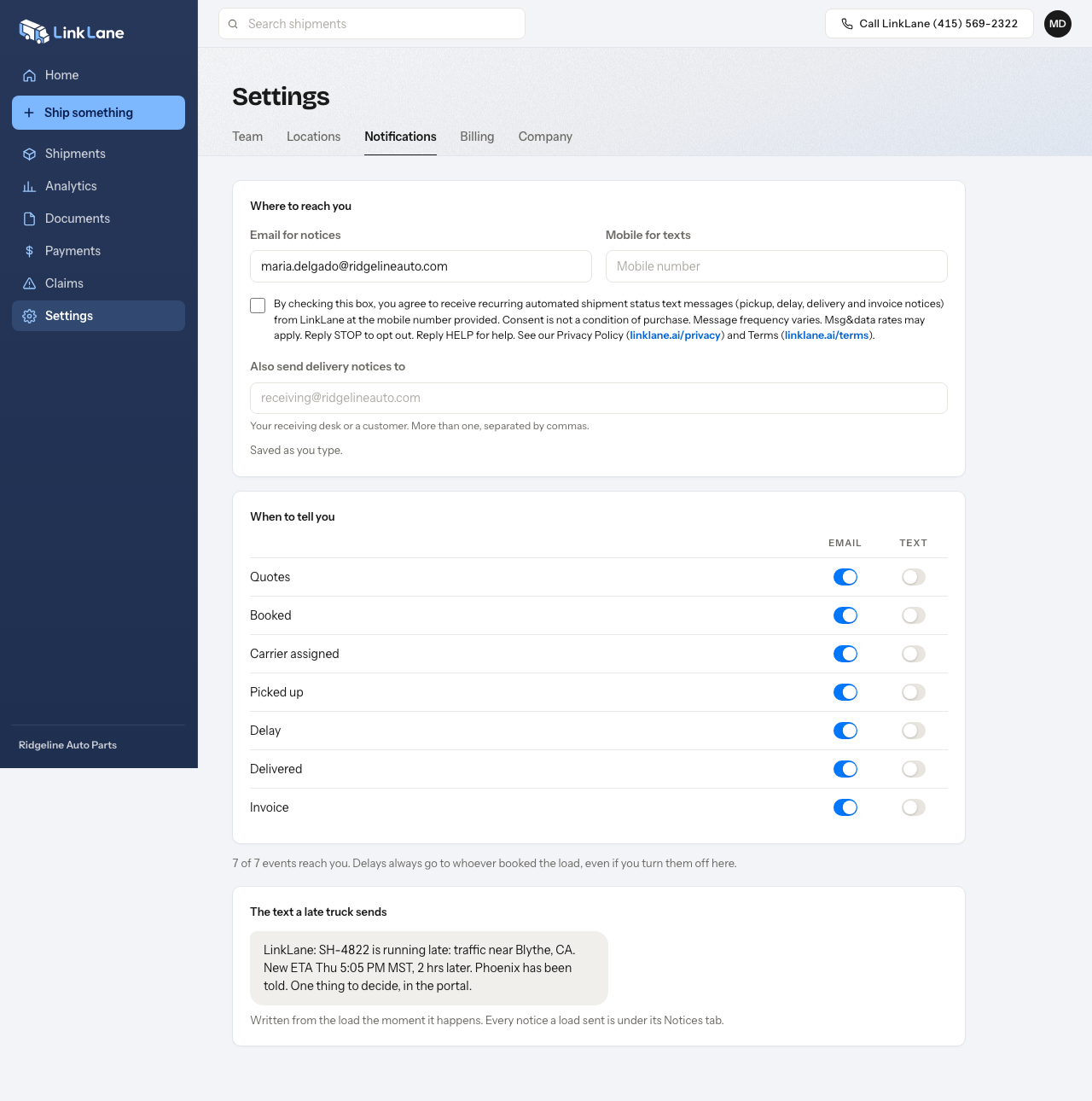
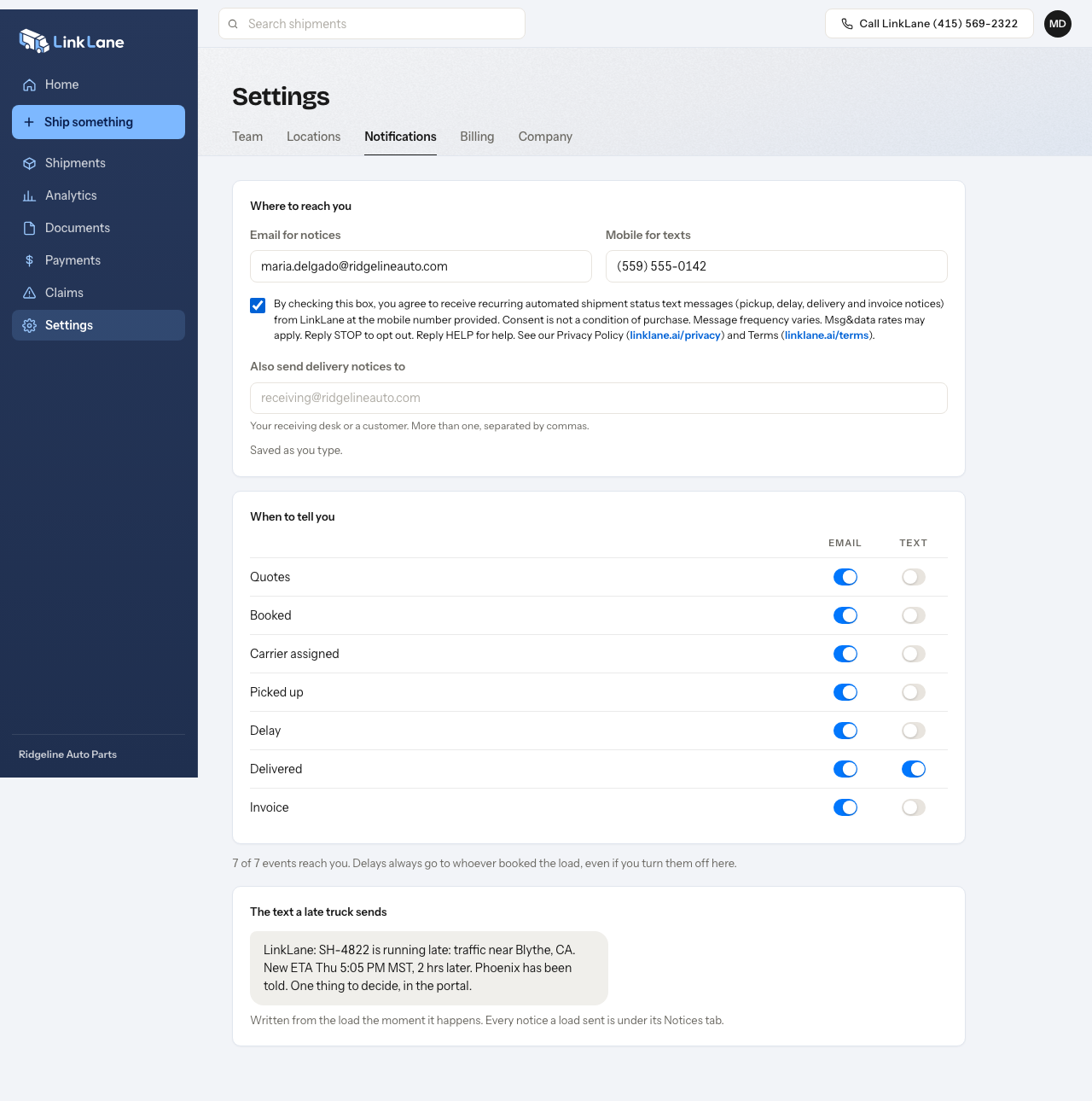
Customers turn on text notices and enter their mobile number inside the LinkLane portal, under Settings › Notifications; this is that screen.
Before: nothing is on until the customer acts
The mobile number field is empty, the consent box is unchecked and every Text switch is off. No text is sent from this state.
After: the customer has opted in
The customer typed a mobile number, ticked the consent box and switched one notice to Text. Only then does a text go to that number.
The text message program is described in our Terms of Use and our Privacy Policy.